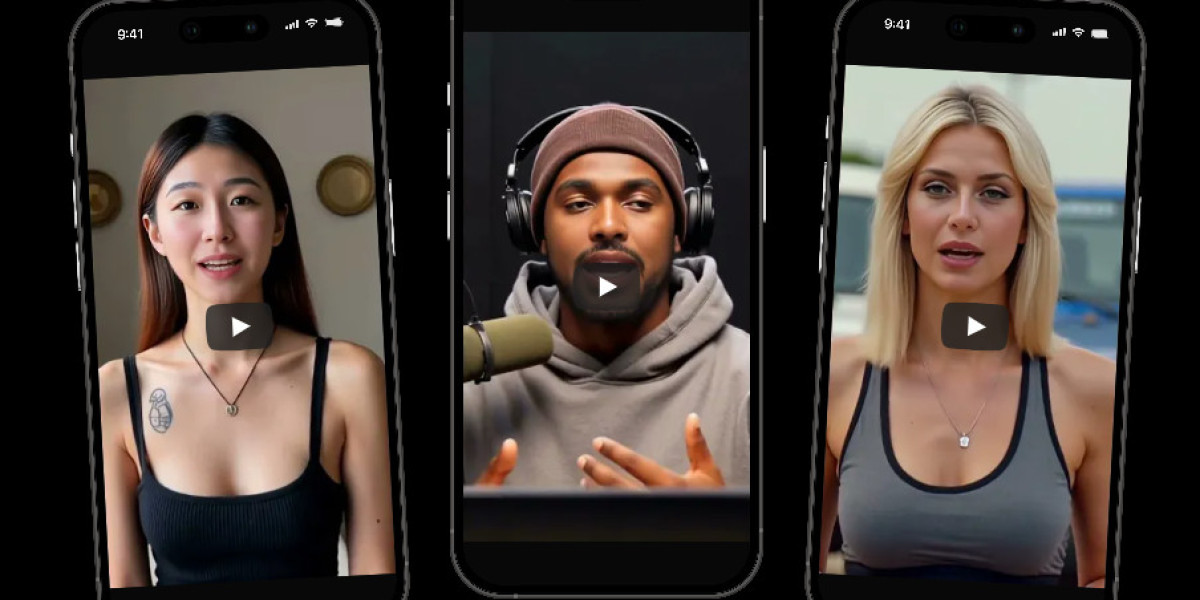
AI video creation has changed online content in many ways. Short clips, digital avatars, realistic voiceovers, and face-sync technology now help creators produce content faster for YouTube, marketing, education, and social media. This article talks about how creators make AI videos that look natural, personal, and believable instead of robotic or artificial. Similarly, it explains camera setup, voice training, avatar creation, editing methods, and privacy concerns connected to modern AI video tools.
Readers will also learn how creators improve realism while maintaining visual consistency across different types of AI-generated content online.
Why Realistic AI Videos Are Becoming Popular
Video content now dominates almost every online platform. Consequently, creators search for faster methods to produce content without recording new footage every day. AI-generated videos save time while maintaining visual quality. However, audiences still prefer videos that feel human and authentic.
Creators often focus on:
- Facial expressions
- Natural eye movement
- Voice synchronization
- Realistic lighting
- Human-like body movement
- Emotional tone in speech
Similarly, businesses now use AI presenters for customer support videos, training clips, and multilingual content. In comparison to older animation systems, modern AI video tools create smoother movement and more realistic lip syncing.
A recent market report from industry analysts showed that AI video software adoption increased significantly during the last two years. Consequently, creators, influencers, and brands continue investing in personalized AI media production.
Recording Better Source Footage Before AI Processing
High-quality input footage plays a major role in realistic AI output. Even though advanced tools improve visuals automatically, poor source material still creates unnatural results.
Creators usually prepare footage carefully before processing begins.
Important recording tips include:
- Use balanced lighting from the front
- Record in quiet environments
- Maintain stable camera positioning
- Speak clearly with consistent pacing
- Avoid excessive head movement
- Wear simple clothing without busy patterns
Similarly, facial visibility matters because AI systems analyze expressions frame by frame. Hence, shadows or blurry footage reduce realism during video generation.
Many creators now use smartphone cameras capable of 4K recording. Despite professional cameras offering stronger detail, modern phones still provide enough quality for AI training in many situations.
Voice Cloning Makes AI Videos Feel More Personal
Voice quality strongly affects how believable AI videos appear. Audiences quickly notice robotic speech patterns or unnatural pauses. Consequently, creators spend extra time improving voice generation.
Modern voice-cloning systems analyze:
- Speech rhythm
- Pronunciation
- Accent style
- Emotional delivery
- Breathing patterns
- Vocal pacing
Similarly, some creators train custom voice models using several minutes of recorded speech. As a result, AI narration sounds closer to real human conversation.
A creator using a character AI video generator may combine realistic voice models with custom avatars for educational videos, storytelling channels, or branded content.
However, moderation remains important because voice cloning technology also raises identity and privacy concerns.
Lighting and Background Choices Matter More Than Most People Think
Realistic AI videos depend heavily on lighting consistency. Specifically, mismatched lighting creates fake-looking skin textures and awkward shadows.
Creators usually prefer:
- Soft natural light
- Ring lights with neutral temperature
- Clean indoor backgrounds
- Simple wall textures
- Controlled shadow placement
Likewise, many editors remove distracting objects from the background before AI rendering starts. Consequently, viewers focus more on the speaker instead of visual imperfections.
Green screens also help creators replace backgrounds later. However, poor green screen lighting often creates edge distortions around hair and facial outlines.
Facial Motion Training Improves Realism
AI systems train facial movement patterns using thousands of expression samples. Still, creators often improve results manually during editing.
Common adjustments include:
- Eye blink timing
- Mouth synchronization
- Eyebrow movement
- Head tilt correction
- Smile transitions
- Skin smoothing
Similarly, realistic micro-expressions make videos appear more human. In the same way, subtle pauses during speech help avoid robotic pacing.
Many advanced editing tools now include facial stabilization systems that repair unnatural motion automatically.
Choosing the Right AI Video Tool
Different platforms specialize in different styles of AI video production. Some focus on avatars, while others prioritize cinematic visuals or social media clips.
Creators often compare tools based on:
- Rendering speed
- Avatar realism
- Voice quality
- Editing flexibility
- Export quality
- Commercial licensing
Despite many low-cost options appearing online, premium tools generally produce stronger lip-sync accuracy and smoother movement.
Some creators use multiple applications together. Initially, they create avatar footage in one platform. Subsequently, they edit transitions and effects in another program.
This workflow helps creators make AI videos that feel polished instead of machine-generated.
Why Human Editing Still Matters
AI tools automate many production tasks. However, human editing remains essential for professional-looking content.
Editors still improve:
- Scene timing
- Audio balancing
- Color correction
- Transition smoothness
- Subtitle placement
- Emotional pacing
Similarly, creators manually remove awkward pauses or unnatural facial reactions. As a result, the final video feels more natural to viewers.
In comparison to fully automated output, edited AI videos usually perform better on social media engagement metrics.
Social Media Platforms Reward Realistic Content
Platforms now prioritize watch time and viewer retention. Consequently, creators focus heavily on realism because audiences stop watching obviously fake videos quickly.
Strong AI videos usually contain:
- Natural speech flow
- Realistic gestures
- Authentic emotional delivery
- Consistent eye contact
- Clear storytelling
Likewise, creators increasingly produce AI-generated tutorials, commentary videos, interviews, and educational clips.
A growing number of creators also use tools that generate AI video content automatically from scripts. However, successful creators still personalize the final output before publishing.
Ethical Concerns Around Hyper-Realistic AI Videos
AI-generated content creates new concerns involving identity misuse and misinformation. Specifically, deepfake technology continues raising questions regarding consent and digital authenticity.
Some online searches connected to generate AI nude video tools show how certain users attempt to misuse AI technology. However, responsible creators focus on ethical content production and proper consent practices.
Many platforms now implement:
- Watermark systems
- AI detection tools
- Identity verification
- Content moderation policies
- Synthetic media disclosures
Similarly, governments in several regions continue discussing regulations connected to AI-generated media.
Building a Consistent AI Video Identity
Creators who succeed with AI videos usually maintain a recognizable style across platforms. Consequently, audiences become familiar with their visual presentation.
Consistency often includes:
- Similar voice tone
- Matching color themes
- Repeated editing style
- Familiar avatar appearance
- Predictable video pacing
Likewise, recognizable branding increases audience trust. A few digital creators connected with Secrets AI have focused strongly on avatar consistency across promotional campaigns and social media clips.
Eventually, consistent presentation helps AI-generated creators appear more authentic online.
Common Mistakes That Make AI Videos Look Fake
Several problems instantly reduce realism in AI-generated videos.
Frequent mistakes include:
- Overly smooth skin
- Incorrect eye direction
- Poor lip synchronization
- Robotic voice pacing
- Unrealistic lighting
- Excessive visual filters
Similarly, overly aggressive editing often creates unnatural facial textures. Consequently, moderation usually produces better-looking results.
Creators also avoid excessive motion effects because subtle movement appears more believable.
Future Trends in AI Video Creation
AI video systems continue improving every year. Consequently, future content may become even harder to distinguish from traditional recordings.
Industry trends currently focus on:
- Real-time avatar streaming
- Emotion-aware AI speech
- Multilingual facial syncing
- Mobile AI video editing
- Interactive virtual presenters
Likewise, creators increasingly combine AI visuals with traditional filming techniques for hybrid content production.
Despite concerns regarding misuse, AI video technology will likely continue expanding across education, entertainment, business, and social media industries.
Conclusion
This article covered recording quality, voice cloning, editing, realism tips, ethical concerns, creator tools, social media trends, and future AI video development.