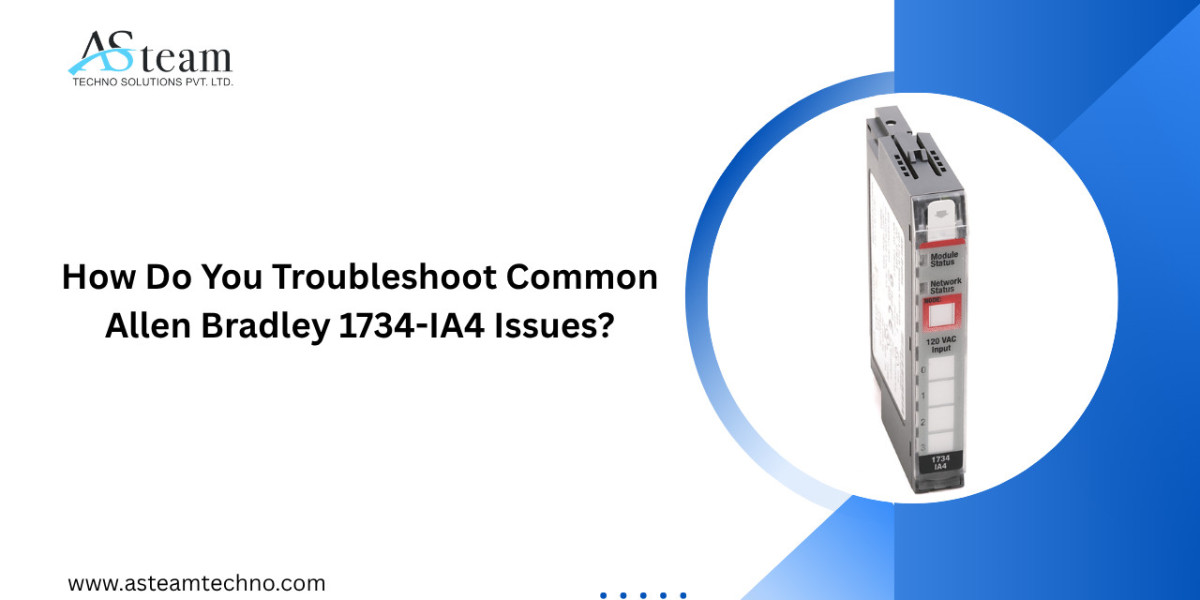
Industrial automation systems depend on reliable input modules to ensure accurate communication between field devices and programmable logic controllers (PLCs). The Allen Bradley 1734-IA4 is a trusted AC digital input module from the POINT I/O family, widely used in manufacturing, packaging, water treatment, food processing, and process automation industries. While this module is known for its durability and consistent performance, occasional issues can occur due to wiring errors, electrical interference, configuration mistakes, or hardware wear.
Understanding how to troubleshoot Allen Bradley 1734-IA4 issues can reduce downtime, improve system reliability, and prevent unnecessary module replacement. This guide explains the most common problems, their causes, and practical troubleshooting methods that maintenance engineers and technicians can follow.
Understanding the Allen Bradley 1734-IA4
Before troubleshooting, it is important to understand what the Allen Bradley 1734-IA4 is designed to do. This module provides four AC digital input channels that receive signals from field devices such as push buttons, selector switches, proximity sensors, and limit switches. The module communicates these input signals to the PLC through the POINT I/O communication adapter.
Because the Allen Bradley 1734-IA4 acts as the bridge between field devices and the controller, any interruption in signal flow can affect the entire automation process.
Common Allen Bradley 1734-IA4 Issues
Several issues are commonly reported during industrial operation. Identifying the symptoms early helps technicians restore normal operation more quickly.
1. Input Channel Not Detecting Signal
One of the most common Allen Bradley 1734-IA4 issues is when one or more input channels fail to detect incoming AC signals.
Possible causes include:
- Loose wiring connections
- Damaged field devices
- Incorrect input voltage
- Broken terminal connections
- Internal module damage
To troubleshoot this problem:
- Verify that the field device is operating correctly.
- Measure the input voltage using a multimeter.
- Check terminal connections for loose or damaged wiring.
- Inspect the input indicator LEDs.
- Replace damaged wiring if necessary.
2. Input LED Does Not Illuminate
The LED indicators on the Allen Bradley 1734-IA4 provide immediate feedback regarding input status. If an input signal is present but the LED remains off, there may be an electrical or hardware issue.
Possible reasons include:
- Incorrect AC voltage
- Faulty sensor
- Wiring polarity problems
- Failed input circuit
Begin troubleshooting by confirming that the correct voltage reaches the input terminals. Next, test the field device independently to ensure it is functioning properly.
3. PLC Does Not Receive Input Status
Sometimes the Allen Bradley 1734-IA4 appears to operate normally, but the PLC does not recognize the input changes.
Possible causes include:
- Communication network issues
- Incorrect I/O configuration
- Faulty POINT I/O adapter
- Controller programming errors
Recommended troubleshooting steps:
- Verify the module appears online in Studio 5000.
- Confirm the module configuration matches the installed hardware.
- Inspect communication cables.
- Restart the communication adapter if necessary.
- Download the latest PLC project configuration.
4. Intermittent Input Signals
Random input changes can create unexpected machine behavior.
This issue is often caused by:
- Electrical noise
- Loose wiring
- Damaged sensors
- Poor grounding
To resolve intermittent signals:
- Tighten all terminal connections.
- Inspect cable insulation.
- Separate input wiring from high-voltage power cables.
- Verify proper grounding throughout the control panel.
- Replace aging sensors if signal quality remains unstable.
5. Module Power Issues
If the Allen Bradley 1734-IA4 does not power on, production may stop completely.
Common causes include:
- Power supply failure
- Backplane connection problems
- Damaged module
- Incorrect installation
Troubleshooting steps include checking the POINT I/O power supply, inspecting the backplane connector, reseating the module, and confirming that all power terminals receive the correct voltage.
Inspect Wiring Carefully
Many Allen Bradley 1734-IA4 issues originate from wiring mistakes rather than hardware failures.
Inspect for:
- Loose terminals
- Corroded connections
- Broken conductors
- Incorrect terminal assignments
- Damaged insulation
Routine wiring inspections often prevent unexpected production downtime.
Verify Input Voltage
The Allen Bradley 1734-IA4 is designed specifically for AC input signals.
Always verify:
- Voltage level matches module specifications.
- Stable voltage is available during machine operation.
- No voltage fluctuations occur during heavy equipment startup.
Using a calibrated multimeter helps identify unstable electrical conditions before they affect production.
Check Module LEDs
The status LEDs provide valuable diagnostic information.
Observe:
- Power LED
- Network LED
- Individual input LEDs
Comparing LED behavior with system operation can quickly identify whether the issue originates from the field device, communication network, or module itself.
Review PLC Configuration
Configuration errors frequently appear after PLC program updates or hardware replacement.
Confirm:
- Correct module catalog number
- Proper slot assignment
- Correct communication settings
- Accurate input mapping
Even a small configuration mismatch can prevent the PLC from reading the Allen Bradley 1734-IA4 correctly.
Reduce Electrical Noise
Industrial facilities contain motors, drives, welders, and other equipment that generate electromagnetic interference.
To minimize electrical noise:
- Use shielded signal cables.
- Separate signal wiring from power cables.
- Install proper grounding.
- Avoid running communication cables alongside high-current conductors.
Good cable management significantly improves input reliability.
Perform Preventive Maintenance
Preventive maintenance reduces unexpected Allen Bradley 1734-IA4 failures and extends equipment life.
Recommended maintenance practices include:
- Inspect wiring every few months.
- Clean dust from control panels.
- Check terminal tightness.
- Verify input operation during scheduled maintenance.
- Monitor module temperature.
- Replace damaged field devices promptly.
Regular inspections cost far less than emergency production downtime.
When Should You Replace the Module?
Sometimes troubleshooting cannot restore normal operation.
Consider replacing the Allen Bradley 1734-IA4 if:
- Multiple input channels fail permanently.
- LEDs remain unresponsive despite proper voltage.
- Physical damage is visible.
- Internal electronic failure is confirmed.
- Communication faults continue after replacing wiring and adapters.
Using genuine replacement modules helps maintain long-term reliability and compatibility.
Final Thoughts
The Allen Bradley 1734-IA4 is a dependable digital input module designed for demanding industrial environments. Most operational issues result from wiring problems, incorrect configuration, communication errors, electrical interference, or failing field devices rather than the module itself. Following a structured troubleshooting process helps maintenance teams identify the root cause quickly, minimize downtime, and keep production running efficiently.
Routine inspections, preventive maintenance, proper installation, and accurate PLC configuration remain the most effective ways to avoid recurring Allen Bradley 1734-IA4 issues. With careful diagnostics and timely maintenance, this module can continue delivering reliable performance for years in a wide range of industrial automation applications.
FAQs
1. What is the Allen Bradley 1734-IA4 used for?
The Allen Bradley 1734-IA4 is a four-channel AC digital input module that receives signals from field devices and sends them to a PLC within a POINT I/O system.
2. Why is my Allen Bradley 1734-IA4 not detecting inputs?
Common causes include loose wiring, incorrect AC voltage, faulty sensors, damaged terminals, or configuration errors in the PLC.
3. How do I know if the Allen Bradley 1734-IA4 is faulty?
Check the module LEDs, verify input voltage, inspect wiring, review PLC configuration, and test the connected field devices before concluding the module has failed.
4. Can electrical noise affect the Allen Bradley 1734-IA4?
Yes. Electromagnetic interference from motors, drives, and power cables can cause intermittent or false input signals if wiring is not properly shielded and grounded.
5. How often should the Allen Bradley 1734-IA4 be inspected?
Routine inspections during scheduled preventive maintenance, typically every three to six months depending on operating conditions, help maintain reliable performance.
Reach Us
Accelerate your industrial growth with automation solutions designed for performance, reliability, and long-term success.
Asteam Techno Solutions Pvt. Ltd. is a leading industrial automation solution provider and AVEVA Registered System Integrator, serving clients across manufacturing, pharmaceuticals, chemicals, petrochemicals, food processing, oil & gas, electrical, and mechanical industries.
We supply and support a wide range of automation technologies, including PLCs, Variable Frequency Drives (VFDs), HMIs, SCADA software, Panel PCs, industrial networking products, Profibus connectors, cables, and control system components from globally recognized brands.
Why businesses choose Asteam Techno:
- Comprehensive automation products and services
- Expert technical consultation and implementation
- Fast response and dedicated support
- Genuine products from trusted manufacturers
- Customized solutions for OEMs and industrial facilities
Have a project requirement or need technical assistance? Contact our team today for a customized solution and competitive pricing. : contact@asteamtechno.com