Good quality results in 3D printing require accuracy, repeatability, and a stable environment. Small variations in temperature or disruptions in airflow can impact the final print. This is the reason why many makers and professionals use printer enclosures for better reliability and performance. A well-designed enclosure helps to maintain ideal printing conditions, especially when working with advanced materials.
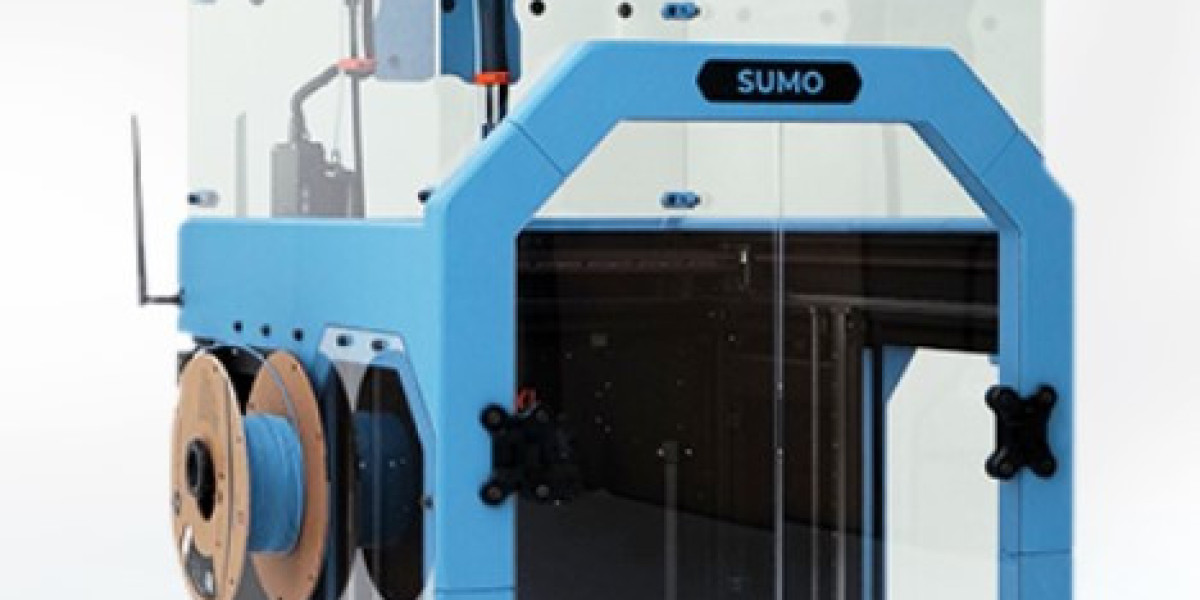
The sumo enclosure is popular for 3D printing enthusiasts as it provides protection, temperature control, and a cleaner printing environment. Whether you are printing detailed models or functional prototypes, an enclosure can help improve overall print quality.
Why it Matters to Have a Stable Printing Environment
3D printers respond to environmental changes. Open rooms, fans, air conditioning or sudden temperature changes can cause several printing problems.
Common problems include:
Warping,
Layer splitting
Breaking
Uneven extrusions
Printing failed
An enclosure helps to create a controlled space around the printer and helps to keep the temperature more stable during the print. This uniformity allows the filament to cool down at the right rate and increases layer adhesion.
Improved Temperature Control for High Quality Printing
The biggest advantage of a printer cabinet or enclosure is temperature control.
Reduces Warping
Materials like ABS and ASA are very sensitive to temperature changes. Needs a warm and stable environment or the corners of a print can lift off the build plate.
A closed print chamber helps:
Even heat distribution
Fast cooling reduced
Increase bed adhesion
Stop lifting the edge
This results in smoother and more accurate prints.
Better Layer Adhesion
If the layers cool too quickly, they won't bond properly. Poor adhesion between layers weakens the final object and reduces its durability.
The controlled build environment helps keep the print warm during production, which allows the layers to fuse together better. This results in stronger and cleaner finished models.
Dust and airflow protection
External airflow is detrimental to print uniformity. Even small drafts from windows or fans can change print temperatures.
Maintains Clean Printing Area
Dust particles can attach to the filament or settle on moving parts, affecting print quality over time. Enclosing the printer protects both the print surface and the machine from contamination.
The advantages are:
Cleaner for filament feeding
Less maintenance
Better finishes
Increased reliability for long print runs
This is especially important for users running printers 24/7 or in a shared workspace.
Reducing Noise and Printing More Safely
3D printers can be very noisy when running, especially during long projects. The sound-absorbing properties of enclosures help reduce noise levels in the workspace.
Less Noisy Workplaces
Many users keep their printers in home offices, workshops, or classrooms. Sound-dampening panels and enclosed frames reduce motor and fan noise, making it more comfortable to print.
Improved Safety
An enclosure gives an additional layer of protection by:
Access to hot parts restriction
Minimizing accidental contact
Managing fumes from some materials
Auxiliary Ventilation Systems
This means it is safer for home, school, and professional environments.
Better Results with High-End Filaments
Some materials need very specific conditions to be printed successfully. Engineering-grade filaments are usually challenging in open-air setups.
Perfect for Technical Materials
A temperature-controlled printer housing supports materials including:
ABS ASA Nylon
PC (Polycarbonate)
Carbon fiber composites
These filaments have the advantage of stable heat and lower airflow. The result is improved dimensional accuracy and better mechanical performance for users.
Helps Keep Consistency on Long Prints
Big or detailed prints might take hours or even days to finish. Long print jobs are easily influenced by environmental changes, which can affect the final result.
An enclosure helps to keep things consistent throughout the process by:
Stabilizing the temperature in the chamber
Safeguarding the print against interruptions
Reduce failure rates
Enabling continuous operation
This increases printing reliability and reduces time and material costs.
Additional Perks for 3D Printing Enthusiasts
Many modern printer enclosures also include features that improve workflow and organization.
Common features are
Transparent viewing panes
LED lighting
Filament storage areas
Cable management
Ventilation support
Durable metal or acrylic construction
These features create a cleaner and more professional printing setup.
Final Thoughts
Using a high-quality enclosure can dramatically improve print consistency, strength, and surface finish in 3D printing projects. From reducing warping to protecting prints from airflow and dust, an enclosed setup creates a more controlled and reliable environment for both hobbyists and professionals.
Whether you print occasionally or run long production jobs, investing in a stable printing chamber improves overall performance and delivers better results across a wide range of materials.