Most people think they're decent typists. They've been doing it for years, after all emails, messages, documents, search queries. It feels automatic. But there's a big difference between feeling fast and actually being fast. And the gap between the two? It shows up in job applications, data entry tests, transcription work, and honestly just in day-to-day productivity.
A proper free online typing speed test takes about sixty seconds and tells you something genuinely useful: your words per minute, your accuracy percentage, and where your fingers are actually slowing you down. Not an estimate. Not a feeling. A number.
The demand for online typing test free tools has quietly grown a lot especially in South Asia, where competitive exams, government job tests, and BPO hiring processes all include mandatory typing assessments. Students in Pakistan, India, and Bangladesh regularly practice with a WPM typing checker tool in the weeks leading up to these tests. It's not casual anymore. For a lot of people, typing speed is a skill with real career consequences.
What WPM Actually Means and What's Considered Good
What is WPM in typing? WPM stands for Words Per Minute the standard measure of typing speed. One "word" is counted as five characters, including spaces. So typing 250 characters per minute equals 50 WPM.
Here's a rough benchmark that most hiring contexts use:
- Under 30 WPM — Below average. Most professional roles expect more.
- 30–50 WPM — Average. Fine for general use, but not competitive.
- 50–70 WPM — Good. Comfortable for most office and admin work.
- 70–90 WPM — Fast. Strong for data entry, transcription, journalism.
- 90+ WPM — Very fast. Professional typists, court reporters, senior admin roles.
The average person types somewhere between 38–44 WPM. A fast typing speed checker will push you to see where you actually land — and most people are surprised. Either they're slower than they thought, or they discover they're actually pretty solid once they stop second-guessing themselves.
Speed Is Only Half the Story
Here's the thing most people miss: accuracy matters as much as speed. Maybe more.
Imagine you type at 80 WPM but you're making an error every ten words. Those corrections eat back your actual productive speed significantly. A typing accuracy test online measures this separately giving you both a raw WPM and an adjusted score that accounts for mistakes. The adjusted score is the one that actually matters in real work.
This usually happens with people who learned to type without formal training they developed speed through habit, but also developed consistent error patterns they've never corrected. A left-hand pinky that hits the wrong key. A tendency to swap "the" and "teh." An "i before e" hesitation that breaks rhythm. A typing performance checker surfaces these patterns quickly, and once you can see them, they're fixable.
Who Actually Uses These Tools and Why
Job Seekers and Students
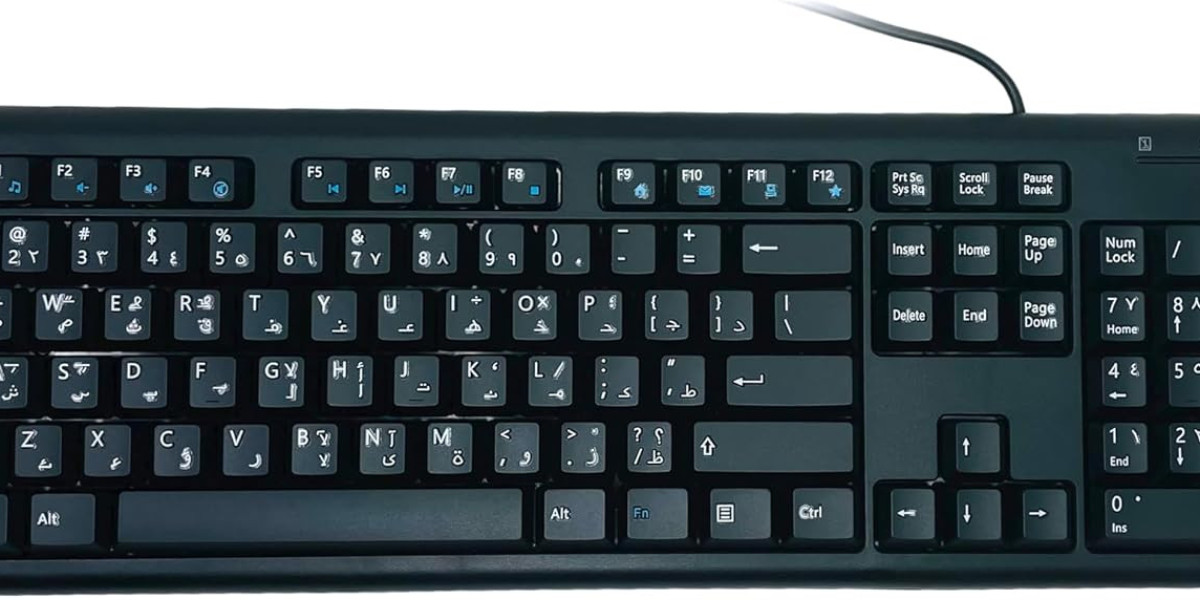
Government job exams across Pakistan and India from clerical roles to postal service positions include typing speed minimums, often 30–40 WPM in English or regional languages. Students preparing for these spend weeks on a keyboard typing practice tool before the exam date. The difference between passing and failing can literally be five WPM.
BPO and call center hiring in Karachi, Lahore, and other major cities similarly test typing speed as part of screening. A free online typing speed test is often the first thing a candidate does when they get the job description just to see where they stand.
Remote Workers and Freelancers
If you're doing any kind of remote writing, virtual assistant work, data entry, or transcription clients will ask about your typing speed. It's on every Upwork and Fiverr profile checklist. Having an actual number from a WPM typing checker tool makes that line on your profile credible. "60 WPM" hits differently than "fast typist."
Professionals Who Just Want to Be Faster
You might have noticed that some of the most productive people you know editors, developers, marketers, writers are extremely fast typists. Not because typing is their whole job, but because being slow at it creates a constant low-level drag on everything else they do. Cutting from 45 WPM to 70 WPM doesn't sound dramatic. In practice, it changes how quickly you can get thoughts onto the screen, which changes how you work entirely.
Quick Answers
What is an online typing speed checker? It's a free browser tool that measures how many words you type per minute (WPM) and tracks your accuracy in real time. You type a given passage, and the tool calculates your speed and error rate at the end.
How do I improve my typing speed? Practice with a keyboard typing practice tool daily even ten to fifteen minutes. Focus on accuracy first, not speed. Speed follows naturally once your fingers stop hesitating. Most people see measurable improvement within two to three weeks of consistent practice.
What a Good Typing Speed Checker Actually Includes
Not all tools are built equally. A genuinely useful typing performance checker should give you more than just a WPM number at the end. Look for:
Real-time error highlighting. You should see mistakes as you make them, not just a total at the end. This trains you to self-correct in the moment.
Accuracy percentage alongside WPM. The two numbers together tell the full story. One without the other is incomplete.
Multiple test durations. A one-minute test gives a quick snapshot. A five-minute test is more representative of sustained performance which is what actually matters in a work context.
Different difficulty levels. Beginner passages with common words vs. advanced texts with punctuation and numbers. If you only ever test on simple vocabulary, you won't know how you perform when things get harder.
No forced sign-up. An online typing test free tool should work immediately, in the browser, without creating an account just to run a sixty-second test.
A Practical Tool Hub Worth Bookmarking
If you want a clean, distraction-free place to run your typing tests alongside other everyday web utilities, Keyboard-PC is worth having in your bookmarks. It covers keyboard-related tools, text utilities, and practical online tools without the usual clutter the kind of resource that's actually useful to keep around.
The Honest Bottom Line
You won't know where you actually stand until you test. That's the whole point. A quick session with an online typing test free tool gives you a real number to work with not a guess, not a rough estimate based on how fast your fingers feel.
From there, it's just practice. Daily sessions with a keyboard typing practice tool, a focus on accuracy before speed, and a habit of retesting every couple of weeks to track progress. The improvement comes faster than most people expect.
Whether you're prepping for a government exam, building a freelance profile, or just tired of being the slowest typist in your office running a free online typing speed test is the obvious first step. Takes sixty seconds. Tells you everything you need to know.